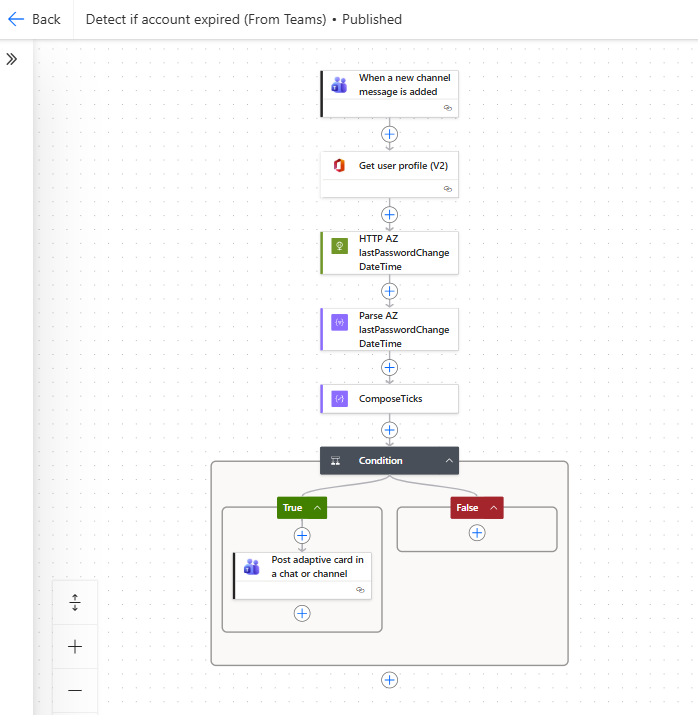
Client requirement: Automatically detect if a user account has expired
Background: The client tasked required that when an internal message was posted to a central Teams support chat, that the user account of the poster was checked to see if had expired
Reasoning: Users didn’t have visibility to when their user account had expired, which was causing support tickets to be created.
The solution: Build an flow in Power Automate to detect when a new message is posted to the Teams channel, check the user account for expiration (in the background), then post back into the channel warning the user their account has expired.