
We design and implement intelligent automations for your business using Microsoft Power Platform, Power Automate, Copilot, and other advanced AI tools to help you reach your strategic goals.
Our solutions reduce manual workload by thousands of hours, cut operational costs, and significantly improve efficiency. Below is one of many case studies showcasing the impact we’ve delivered for our customers.
Create an automated (forced) group naming convention process in Microsoft 365
As Microsoft 365 adoption grows, many organisations experience group sprawl — the uncontrolled creation of Microsoft 365 Groups, Teams, and related collaboration spaces. Over time, this can make it difficult to understand who owns a group, what its purpose is, whether a similar group already exists, and who has access to sensitive information.
A forced naming convention process helps organisations introduce governance without creating unnecessary complexity for end users. By automating group requests through Microsoft Forms, Power Automate, and Teams approvals, every group follows a consistent standard while reducing duplication and improving visibility across the business.
Business Benefits
- Improved visibility of business groups and their purpose
- Reduced duplication of groups and memberships
- Consistent naming standards across the organisation
- Better governance and ownership tracking
- More efficient collaboration and administration
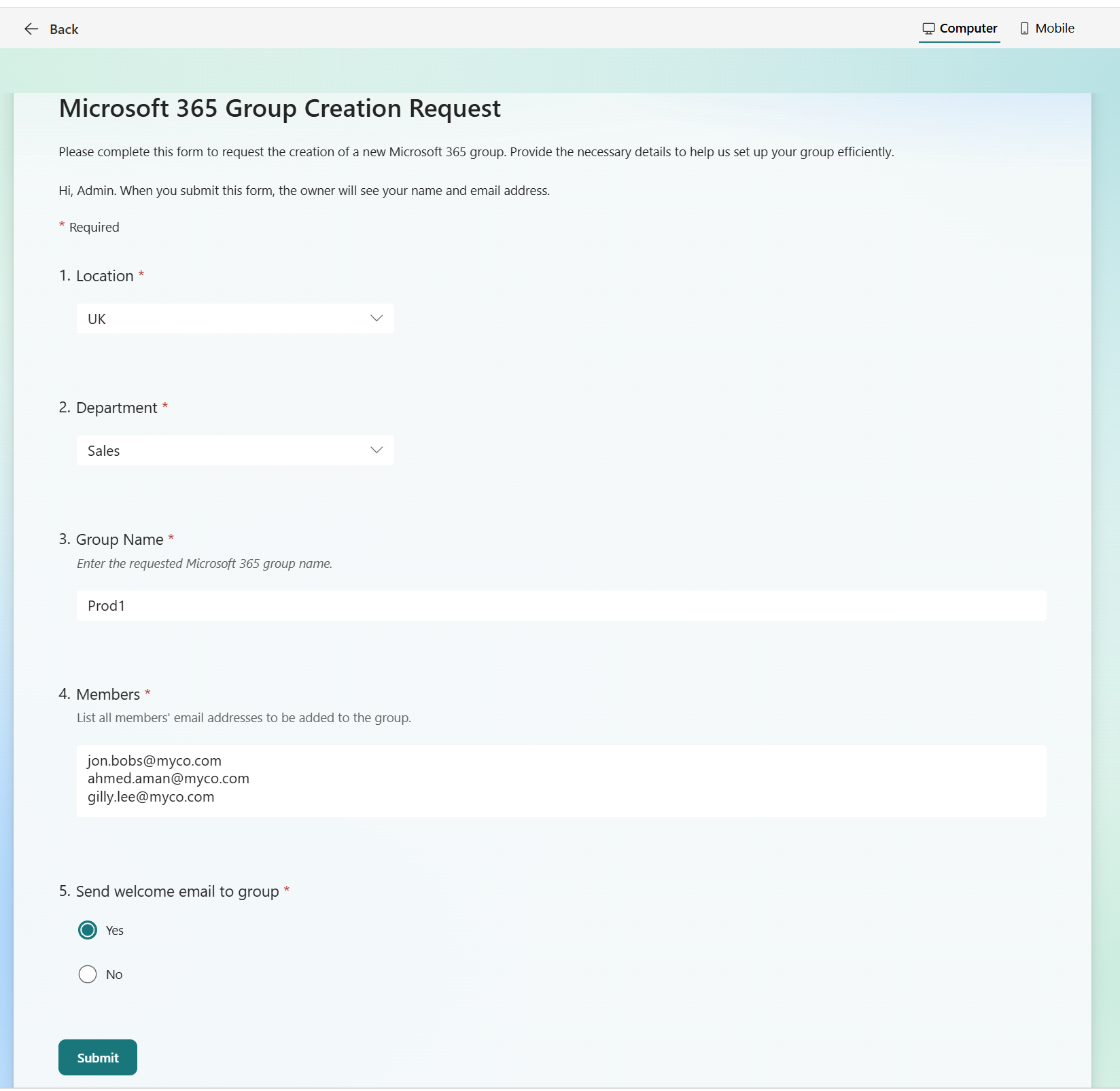
Group naming convention generation form
High-Level Workflow
flowchart TD
    A[User submits Microsoft Form
Location, Department, Group Name, Members] --> B[Power Automate builds
standard group name
e.g. uk-sales-prod1]
    B --> C[Similarity check against
existing groups and members]
    C --> D[Teams approval sent to
creator or approval group
including similarity percentage]
    D --> E{Approve?}
    E -->|Yes| F[Create Microsoft 365 Group
and add members]
    E -->|No| G[Decline request]
    F --> H[Send approved notification
with outcome and reasoning]
    G --> I[Send declined notification
with reasoning]
Process Summary
The process begins with a simple Microsoft Form where users provide their location, department, desired group name, and required members. Power Automate then converts this information into a predefined naming standard, ensuring consistency across Microsoft 365.
Before creation, the workflow compares the proposed group name and membership against existing groups to identify potential duplication. Similarity scores are presented within a Teams approval request, enabling informed decision-making. The approver can then either authorise or reject the request, with the requester receiving a clear outcome and supporting rationale.
Need a solution?